Music Recording Software | Free Music Recording Software

On this blog you have the possibility to get known to the latest updates of Music Recording Software. To see the information about their pros and cons, to see video tutorials and to get links of free trial versions

PLAY LES PAUL GUITAR - GOOGLE DOODLE - On MusicRecordingSoftware.Blogspot.Com

Play Fully Functional MiniMoog Doodle at Musicrecordingsoftware.Blogspot.com

- If you like our website and found the useful information here, please, click +1 button to share it! Let your friends also find the helpful information we provide! Thanks!
Showing posts with label music recording software review. Show all posts

Cubase 6.5 - Review by Music Recording Software on Blogspot


Steinberg’s new release Cubase 6.5 had made me quite anxious until yesterday when I finally had an opportunity to check all its new features. The overall expression it left on me is that Cubase 6.5 is full of updated features. Its user-friendly interface blends wonderfully with its inspiring instruments, effects and great editing tools. So now we can go down to more detailed description:
Basically there are two new synths in Cubase 6.5: Retrologue and Padshop. Retrologue is more like a vintage analogue synth. You can get rich old-school sound. You will fall in love with Retrologue if you like funky style and come to recording funky bass and leadsounds. Retrologue comes with a library of 300 presets, so most likely you will be able to find just the right sound for your funky track in Retrologue’s preset library.
Padshop as its title hints is a wonderful source of pads. I could not manage to try out all of its presets which are 400 totally, however I still could manage to try out some of its out of this world atmosphere sound. This synth has built-in effects that are very convenient to use and that can help you create completely unique sound, completely unique pads.
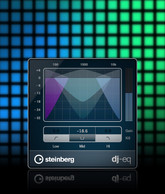
Cubase 6.5 also introduces three new effects: DJ-EQ, MorphFilter and VST AMP RACK 1.5. DJ-EQ as the title tells itself is specially designed to create a favourite performance effect for DJs. The effect is quite useful for creating unexpected twists. I also tried it and made some breaks and it did well. What is more, the parameters can be automated so that you get all the dance floor atmosphere through Cubase’s quick controls which is renowned for being so user-friendly.
Unfortunately I did not have enough time to test MorphFilter’s abilities fully. However one thing is clear: Steinberg tried its best to create superior filter types of HALion 4. I think I’ll be using more of MorpFilter soon.
 I did try out and fell in love with VST AMP RACK! I got such insane tones for my guitar. The feeling of playing with signature tones of world renown guitarists from famous bands likeAccept,Meshuggah, Emperor. It’s just wonderful! The VST comes with maximizer and limiter, so that your guitar soundwill be cut through the mix.
I just can not ignore the new way of warping offered by Cubase 6.5. The hitpoints are fused and warp quantizing is directly embeded into the Quantizing Panel which is specially dedicated for this use. The result of this is that entire arrangments just like single audio loopsneed just a mouse click for quantizing – like MIDI parts. .. and yes! your audio events are warped not – sliced which means that they followautomatically any global pitch or tempo changes of your project. This makes arrangements quite easy since audio events remain uncluttered.

The new version of Cubase also comes with some unexpected surprises. The most important of these is the ability to link your Cubase to your SoundCloud account. This gives you possibility share your songs directly with the world. The uploader is built-in the Cubase 6.5.
Linking with SoundCloud is not just for easy sharing. It made possible for Cubase 6.5 to include lossless FLAC audio compression codec. You save up to 60% disk space when recording tracks in real time.
What is more, Cubase 6.5 is the first version of Cubase to offer an interface in Simplified Chinese!

BFD 2 Review - Recording Drums by Music Recording Software on Blogspot


Recently I overlooked the posts on my blog and surprisingly discovered that I have not posted about BFD 2 yet. I thought that this completely amazing music recording software really deserves a post from me.


So what is BFD 2: it is an acoustic drum production environment. Well you may have used software like EZDrummer, Addictive Drums, Native Instruments’ Abbey Road Drum Studio etc. BFD 2 does the same as the softwares I mentioned above. However it is my favourite one for its unprecedented power and flexibility, its sound quality and extreme realism. Most of the Drum Production Environment Software are user-friendly but they have much less features than BFD 2 and it is easier for a software to be user-friendly if it has less features. I use BFD 2 as an integrated plug-in with Ableton, however it may be used with any digital audio workstation like Cubase, Sonar, Nuendo etc. At our Youtube channel you may see some video tutorials and samples, so that you can see and hear what you can do with BFD 2. Below I will write in more details about its possibilities.

BFD 2 comes with 55 GB sample library recorded at famous Air Studios in London. The components of drum kits have up to 96 levels of velocity layers. BFD 2 comes with several already set-up ready to use drum kits, however you are able to set up 10, 18 or 32 piece kits using any available drum kit components.

BFD 2 comes with about 5000 stylistically different patterns. These are MIDI files that are very likely to fit your needs and provide with the groove your musical track needs. However BFD 2’s Groove Editing is just another great thing I love in this software. BFD 2 lets you make your own grooves. It’s easy, editing and creating is intuitive and you get realistic results. You can easily assign velocity to just any MIDI tone, so that at the end you can’t tell whether it is recorded live with the drummer playing real drum-kits or recorded with BFD 2.

Samples at Air Studio have been recorded using different sets of mics. So BFD 2 lets you control the recording fully just if you were recording it live. You may choose to move your virtual recording mics close to the virtual drum-kit, move away or hang them above it. If you are more professional you may go to a bit more complicated mixing process and use BFD 2’s ability to let you mix each mic channel individually. BFD 2’s built-in processors have flanger, ring mod, delay, different kinds of filters and distortion and other effects to create even more realistic drum tracks.

BFD 2’s built-in mixer has many advantages and I may dare to say that it is better than many expensive full-fledged sequencing hosts’ mixers. However Ableton, Cubase, Sonar and Nuendo are not among such music recording software.

BFD 2 offers a free trial. One wonderful thing about it is that it never ends. However several important functions can’t be used including using BFD 2 as a plug-in and Saving, Importing or Exporting anything to or from the software. But if you need to play live at home and are in need of quality drum parts, DEMO version should work. You can visit Fxpansion’s web-site and get BFD 2’s DEMO version. Here you can listen to the separate components of drum kit – samples recordedat different velocities.


MASCHINE MIKRO REVIEW by Music Recording Software on Blogspot


Two days ago I had a wonderful opportunity to try out the new MASCHINE MIKRO. This amazing fusion of hardware and software really inspired me. Native Instruments still follows its slogan: The Future of Sound. Now I can say that MASCHINE MIKRO is just another step towards the future of sound. Earlier I dedicated the post to the new MASCHINE. MASCHINE MIKRO is even more perfect than that version of MASCHINE since it gives extra control on your music recording software.


Maschine Mikro consists of the portable hardware controller which is fully integrated with the good old MASCHINE SOFTWARE. The controller is just amazing. I had all the desired hands-on workflow as MASCHINE MIKRO let me to control almost all the software functions via the controller. The thing I like most with Native Instruments’ products is that they always work in an intuitive way. It was my first encounter with MASCHINE MIKRO but I could explore all the grooves and rhythms in a way I desired. Native Instruments promises to provide the updates for MASCHINE MIKRO software frequently. Hopefully it helps the software to meet our needs further.


The key functions of the Maschine sofware can be easily accessed by either using the shortcuts provided by the MIKRO hardware controller or your mouse and keyboard. MASCHINE MIKRO hardware comes with a master knob that gives access to several software functions and 16 back-lit pads with after touch and velocity. I like the sensitivity of these pads. It is extremely lightweight so that you can take it anywhere you like.


Maschine  Mikro’s built-in sequencer is just another wonderful thing about it. I thing creating and arranging patterns have never been this easy before. The sequencer provides two modes: MPC style live recording and XOX drum machine. It provides all the classic groove box functions combined with clip-based concept that allows to work with it intuitively. 


Maschine Mikro can record audio from external and internal sources as well as it allows precise sample playback. You just need a sound card to experience the advantages of high performance sampler. The only limit for the length and the number of samples is the capacity of your comuputer’s RAM. Besides, I think that this is the most convenient sampler for slicing. It also lets you import your own samples: MPC programs and REX2 files. If you use high-quality audio interface the sampler supports up to 24bit/192khz audio.


MASCHINE MIKRO can actually act as a host for any VST or audio units plug-ins from NI. It can host even the VSTs of 3rd party manufacturers. It is fully integrated with brand new KOMPLETE 8 so that you can browse and load all the presets of this Virtual Instruments Bundle. Maschine Mikro provides 16 sound slots that are  divided into two groups. Each slot can hold 4 effects plug-ins and one instrument. So you can calculate yourself the power you get when you use MASCHINE MIKRO as a host. Plug-ins of KONTAKT, Guitar Rig and REAKTOR are included so that you can start by using the new hosting possibility just when you get your MASCHINE MIKRO.

  MASCHINE MIKRO has incredibly user friendly library browser that allows you to access instantly any sound from the extensive MASCHINE library which consists of 6GB of sounds. There are 300 drum kits with 1400 patterns, 18000 samples, 7000 one-shots, 388 sampled instruments, 400 loops, 170 FX/multi-FX presets, 60 demo projects in the library. You virtually get just any sound you may need with MASCHINE MIKRO’s extensive library. The thing that caused my admiration were the multi-sampled acoustic instruments: organs, strings, pianos brass and more. 3 GB – more than 1000 sounds of the MASCHINE MIKRO’s library comes from the compiled elements from KOMPLETE 8.


The effects section of MASCHINE MIKRO was extremely interesting personally for me. Its arsenal is quite powerful consisting of 22 high-quality effects starting from classic effects like reverbs. Eqs and filters advancing to more creative tools like ICE Verb, Freq Shifter, Grain Delay.


MASCHINE MIKRO can be completely integrated with your music recording software. Its software can be used as a VST inside the host sequencer of your DAW. MIDI files can be drag-and-dropped directly to your music recording software as well as you can bring the sample directly from your pc to MASCHINE MIKRO. A single controller can be used to switch between the several instances of MASCHINE MIKRO that are open in your host sequencer. 


You can have a look at the tutorials, overview and even more at MusicRecordingSoftware.Blogspot.Com’s Youtube Channel (click here).

Instead of official NI price - 399$ - you can purchase MASCHINE MIKRO for 349$ exclusively on MusicRecordingSoftware.Blogspot.Com